
AI hotel chatbot · Guest messaging · Hotels, guesthouses & Airbnb
Even when the front desk is empty,no guest request slips through
AI answers guest questions first, and requests that need a person go straight to the phone of the staff member on duty.
Foreign guests ask and get answers in their own language. You and your staff read and reply in yours.
No app install · Room QR generated automatically · 1 room free forever
24/7
AI first response
Instant
Staff handoff
100+
Languages

 Staff FAQ auto-answers
What hosts deal with every day
Guests keep growing,
but the team answering them doesn't.
You answer the same questions over and over
Wi-Fi password, check-out time, parking, how to take out the trash — the same questions come in again and again. Staff time goes to questions that already have a fixed answer.

You can't keep adding staff
More bookings don't come with more people to answer them. To handle more inquiries with the same team, the questions that don't need a person have to come off their plate first.
It's hard to tell how well guests are being answered
What guests asked, and who answered and how, is scattered across phone calls and messengers and never recorded. Without a record, an owner can't judge the quality of guest service, or improve it.

Multilingual staff are hard to find and expensive
People who can answer in English, Japanese and Chinese are scarce and cost more. When hiring depends on language skills, the pool gets smaller, and when that one person leaves, service for foreign guests stops with them.
Repeat questions, answered automatically
Every question that used to reach you, AI takes first.
Answer once and save it as an FAQ — after that, the same question is handled automatically in any language.
Guest's original 🇬🇧
“The door lock won’t open.”
AI translation · your language
“The door lock won't open.”
It arrives organized in your language — which room, and what they're asking.
Your reply · your language
Enter the password, then press and hold the star (*) key.
A few days later · another guest
✓ Answered automatically · no host needed
The more you answer, the smarter the AI gets — and the less you have to answer yourself.
When a person is needed
Requests that need action
go straight to the staff on duty
Breakdowns, lost items, emergencies — when AI can't solve it, AI recognizes it and sends it to your staff's phone instantly. Guests see the progress right in their chat.
AI flags 🚨 urgent and 🔧 needs-action requests on its own.
🔧 Room 201 · Moonlight Guesthouse
The air conditioner isn't working
👤 To: Alex (front desk) · on duty
Following your work schedule, it only goes to whoever is on duty now.
🛎️ The staff have seen your request and are on it.
Guests aren't left wondering. Replies arrive translated into their language.
📱
A personal link, no app
Staff get alerts and reply from a single link — no separate accounts to create.
🕐
Follows your work schedule
Off-duty staff aren't disturbed. Only when nobody is on duty do 🚨 urgent requests go to everyone.
🔔
Push alerts on any phone
Staff add the link to their home screen and get instant push notifications.
Each staff member gets their own alert settings
When every alert goes to everyone, nobody reads them. Decide who gets which alerts, and when, for each person.
- ✓
Alert types per person
Service requests, questions & staff calls, urgent & action — turn on only what each person needs.
- ✓
Only during their shift
Alerts follow each person's work schedule and go only to whoever is on duty now. The owner's phone always gets them too.
- ✓
Add a name and number, send a link
Send each staff member a personal link or QR. There is no limit on headcount, and when someone leaves you issue a new link to cut off the old one.
👥 Staff who get alerts
🕐 09:00–18:00 · 🔔 Push
🕐 10:00–16:00 · 🔔 Push
🕐 22:00–08:00 · 🔔 Push
🔗 Copy linkQRNew link
If room 201 reports a broken air conditioner right now → it goes to Alex and Maria.
From "Got it" to done, on the staff phone
Staff open their link and see only the requests meant for them. No app to install, no account to create.
- ✓
One tap on "Got it" and the guest knows
The guest's chat shows that staff have seen the request right away. It also stops two people from picking up the same request.
- ✓
Reply in your language, guests read theirs
Staff write in their own language and the reply arrives in the guest's chat, translated.
- ✓
A record of who handled it
Who confirmed each request, and when, is saved and shown in the owner's inbox.
📱 Alex · Moonlight Guesthouse
The air conditioner in my room isn't working.
Original: The air conditioner in my room isn’t working.
In progress · Alex · 14:02
Handling record
14:01
Request received
14:02
Alex confirmed
14:20
Alex completed
Even if the host speaks no foreign language at all,
you can serve foreign guests.
Guests ask in their own language, and you only ever reply in your own. Staff who don't speak another language can still serve foreign guests through AI translation, so language skills no longer have to be a hiring requirement.
※ Important details like Wi-Fi passwords, door-lock codes, and addresses are shown as-is to prevent misunderstandings.
Beyond guest service
The AI answers staff questions too
Where supplies are, the cleaning order, check-in prep… Register the tasks new hires, part-timers, and foreign staff keep asking about, and the AI answers for you. No more repeating the same explanations.
- 1
New and part-time staff get up to speed fast
No need to find someone to ask — they can check the registered guides anytime.
- 2
Foreign staff, in their own language
Register in Korean, and staff still ask and get answers in their own language.
- 3
Teach it once, and you're done
Answer once and it's saved as an FAQ — no answering the same question again.
Moonlight Guesthouse
Staff guide · Staff
— Staff ask in their own language —
Stock each room with guests + 1 extra. 🧺
What the owner registered in Korean is delivered automatically in the staff's language.
Just put a QR in each room
Register your stay guide on StayMate,
and guests ask via QR — explained in their own language
No need to cover the room in printed notices. Register Wi-Fi, check-out, parking, and room info in advance, and one QR lets guests ask and check from their own phone, anytime and anywhere, in their own language.
Scan the room QR
When a guest scans the QR in the room, the guide screen opens instantly.
Ask anything
Guests ask about Wi-Fi, check-out, parking and more — in their own language.

AI answers instantly
Based on what you registered, the AI replies in the guest's language.
Each guest's language is detected automatically, and answers come back in that language.
Moonlight Guesthouse
Room 201
— Each guest's language is detected automatically, and answers come back in that language. —
Password: 1234 5678 📶
Moonlight Guesthouse
Room 305
— Each guest's language is detected automatically, and answers come back in that language. —
ご出発前にお忘れ物がないかご確認ください 😊
Important details like Wi-Fi passwords, door-lock codes, and addresses are shown as-is — never translated — to avoid mix-ups.
Up and running the moment you sign up
No need to write each FAQ yourself.
Just copy and paste your notice — AI generates each FAQ for you.
After signing up, paste in the notice or house rules you already have. The AI turns your operating info into a starter set of FAQs — you just review and confirm.
Paste your notice
Drop in the notice or info sheet you already use. No need to start from a blank page.
AI drafts the FAQs
It organizes questions and answers from your info. It never makes things up — missing details are flagged as 'needs confirmation'.
Just confirm
Skim, edit, pick, and register them all at once. The tedious FAQ writing is gone.
📋 Paste your notice
With StayMate, running your place gets easier
Resolve foreign-guest questions on the spot
Supports English, Japanese, Chinese and many more. Guests ask in their own language and get answers in it too.
Never answer the same question twice
Register Wi-Fi password, check-out time, parking once — after that the AI answers them automatically.

You only hear about what needs a person
Only questions the AI can't answer and action requests like breakdowns reach your staff. Answer once, and AI handles it next time.

Per-room info, kept straight
Even when Room 201 and Room 301 have different Wi-Fi, door locks, and info, the AI keeps them apart.
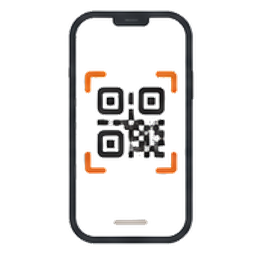
Start by just putting up a QR
Keep your PMS, check-in system, and mobile keys — just print the QR, stick it up, and you're live.
Urgent requests reach staff instantly
🚨 Urgent requests alert the staff on duty right away, and everyone if nobody is on duty. You can see who picked it up.
Let guests easily discover the services your stay offers
Pick only the features your stay needs
Not every property runs the same way. Beyond the basics, StayMate lets you turn on features like late check-out, BBQ booking, bike rental, luggage storage, and amenity requests — only the ones you need.

Late check-out
Guests check availability and request a late check-out. You set the available hours and price yourself.
1 extra hour ₩10,000
BBQ booking
Let guests pick a BBQ time slot and book in advance. You set the cutoff time and price.
BBQ set ₩20,000
Bike rental
Guests request a bike rental right from the QR. You set the available quantity and hours.

Luggage storage
Take luggage-storage requests before check-in and after check-out. You set how many you can hold.
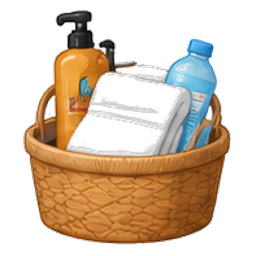
Towels & amenities
Take quick requests for towels, water, tissue, and more.
Printer use
Take printer requests and let guests know the available hours.
Set it up your way
Late check-out
Request by 10 AM
1 extra hour ₩10,000
BBQ booking
Book by 6 PM
₩20,000 per person

More add-on revenue
Easily surface and take bookings for services guests didn't know they could use.
Less staff work
Requests are taken automatically — no phone calls or front-desk visits.

Easy for foreign guests
Every request screen shows in the guest's own language automatically.
🔧 Turn on only what you offer
BBQ booking
₩20,000 per person
Late check-out
1 extra hour ₩10,000
Bike rental
Set the price, time and quantity yourself — just switch it on.
Build the StayMate that fits your property
Turn on only the features you need and mirror exactly how you run your place.
Start for freeStart at the scale that fits your stay
Small stays start right away, large hotels and resorts scale up as needed.
Free
$0
Use the core service free, forever, for your first room.
- ✓Room QR codes
- ✓Check-in QR
- ✓Multilingual AI replies
- ✓FAQ management
- ✓Staff FAQ
- ✓Unified inbox (questions + requests)
- ✓Per-staff alerts
- ✓Work schedules
- ✓Auto-learning FAQ
- ✓Check-in info card
- ✓Property cover image
- ✓AI-generated FAQs on signup
- ✓Per-room guides
+ 8 more features
- ✓Unified inbox (questions + requests)
- ✓Per-staff alerts
- ✓Work schedules
- ✓Auto-learning FAQ
- ✓Check-in info card
- ✓Property cover image
- ✓AI-generated FAQs on signup
- ✓Per-room guides
Starter
room count × $9.9
Got 2+ rooms? It's room count × $9.9/month Plus applicable tax · 14-day free trial
- ✓Room QR codes
- ✓Check-in QR
- ✓Multilingual AI replies
- ✓FAQ management
- ✓Staff FAQ
- ✓Unified inbox (questions + requests)
- ✓Per-staff alerts
- ✓Work schedules
- ✓Auto-learning FAQ
- ✓Check-in info card
- ✓Property cover image
- ✓Per-room guides
- ✓Question log
- ✓AI-generated FAQs on signup
+ 9 more features
- ✓Unified inbox (questions + requests)
- ✓Per-staff alerts
- ✓Work schedules
- ✓Auto-learning FAQ
- ✓Check-in info card
- ✓Property cover image
- ✓Per-room guides
- ✓Question log
- ✓AI-generated FAQs on signup
Just sign up — we build your FAQs automatically
Enter your property intro and house info, and AI generates starter FAQs for Wi-Fi, check-out, parking, towels, room usage, and more.
Enterprise
Contact us
A dedicated integration and custom build plan for large hotels, resorts, and chains. (Monthly plan + separate setup & training fee)
- ✓Everything in Starter
- ✓PMS integration
- ✓Your own customized version
- ✓Multi-property management
- ✓Staff role management
- ✓API access
- ✓Embeddable web chat widget
- ✓Setup & staff training
- ✓SLA support
- ✓Custom build support
- ✓Advanced reports & analytics
- ✓MarketMate integration
- ✓Branded QR customization
- ✓Multilingual promotion & event notices
+ 9 more features
- ✓API access
- ✓Embeddable web chat widget
- ✓Setup & staff training
- ✓SLA support
- ✓Custom build support
- ✓Advanced reports & analytics
- ✓MarketMate integration
- ✓Branded QR customization
- ✓Multilingual promotion & event notices
Rooms and dining in one
With StayMate at the center, you can also offer dining guidance via MarketMate.
Prices exclude applicable tax. Add-ons you turn on are billed per feature each month. Hotels and resorts with many rooms get custom pricing through a separate contract.
FAQ
AI guest messaging for your property, explained
How does an AI hotel chatbot answer guests?
+
Paste your house guide (check-in, Wi-Fi, parking, check-out and so on) and AI turns it into FAQs. Put a QR in each room, and guests ask from their phone while the AI answers from your registered information. Questions it can't answer alert you, and once you reply, the AI answers it next time.
How is StayMate different from a generic chatbot?
+
It only answers from the information you registered about your property and never makes things up. Room-specific details like door codes and Wi-Fi are kept per room. If the answer doesn't solve it, guests can tap "Talk to staff", and the AI flags breakdowns and urgent requests and hands them to the staff member on duty.
Does it work for hotels, guesthouses and Airbnb?
+
Yes — from a single Airbnb room to guesthouses and hotels with many rooms, it works the same way. For Airbnb, you can send the guide link in the booking chat so the AI also answers questions before arrival (it is not an Airbnb API integration).
Can foreign guests ask in their own language?
+
Yes. Guests ask in their own language and the AI replies in that language — 100+ languages are supported. Replies from you and your staff are translated into the guest's language too.
Does it work for unstaffed properties and at night?
+
AI replies run 24/7. Requests that need a person send a push alert to your phone and to the staff member on duty, and your reply appears right in the guest's chat. Staff get alerts through a personal link — no app install.
How much does it cost?
+
1 room is free forever. For 2 or more rooms it's room count × $9.9 per month (excl. tax), with a 14-day free trial. Add-ons such as late checkout or BBQ requests are billed only for the ones you turn on.
Also run a restaurant?
MarketMate — one menu QR shows your menu to foreign guests in their own language. Built by the same team behind StayMate.
Visit MarketMate →